> For the complete documentation index, see [llms.txt](https://help.windmillsoft.kr/llms.txt). Markdown versions of documentation pages are available by appending `.md` to page URLs; this page is available as [Markdown](https://help.windmillsoft.kr/en/simplychat/salesforce-setup-guide/auto-end-feature/auto-end-target-settings.md).
# Auto End target settings
You can determine whether a chat is automatically ended based on whether the last message was sent by the agent or the customer.
### Added fields
The following field is added to **Custom Settings.**
| Label | API Name | Type |
| ----------------------- | ------------------------- | -------- |
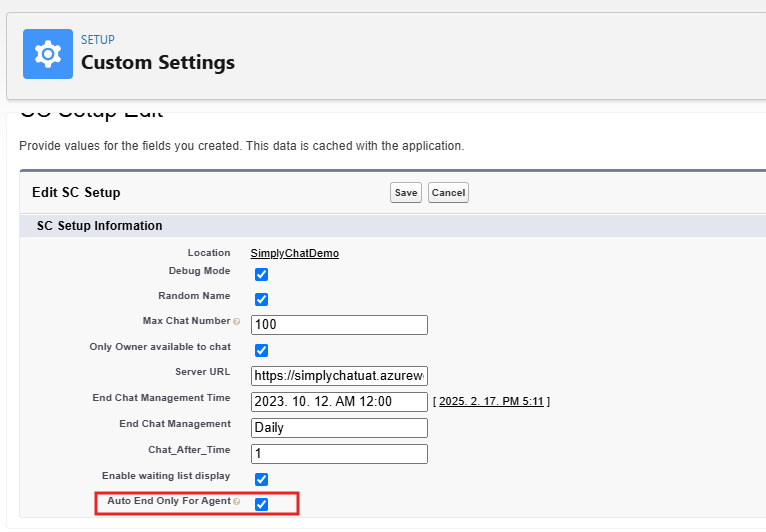
| Auto End Only For Agent | WINP\_AutoEndOnlyForAgent | Checkbox |
The Auto End target varies depending on the conditions below. By default, this option is unchecked.
| Condition | Auto End target |
| --------------------------------------- | -------------------------------------------------------------------------- |
| "Auto End Only For Agent" is checked. | Chats where the last message was sent by the agent. |
| "Auto End Only For Agent" is unchecked. | Chats where the last message was sent by either the agent or the customer. |
### How to configure
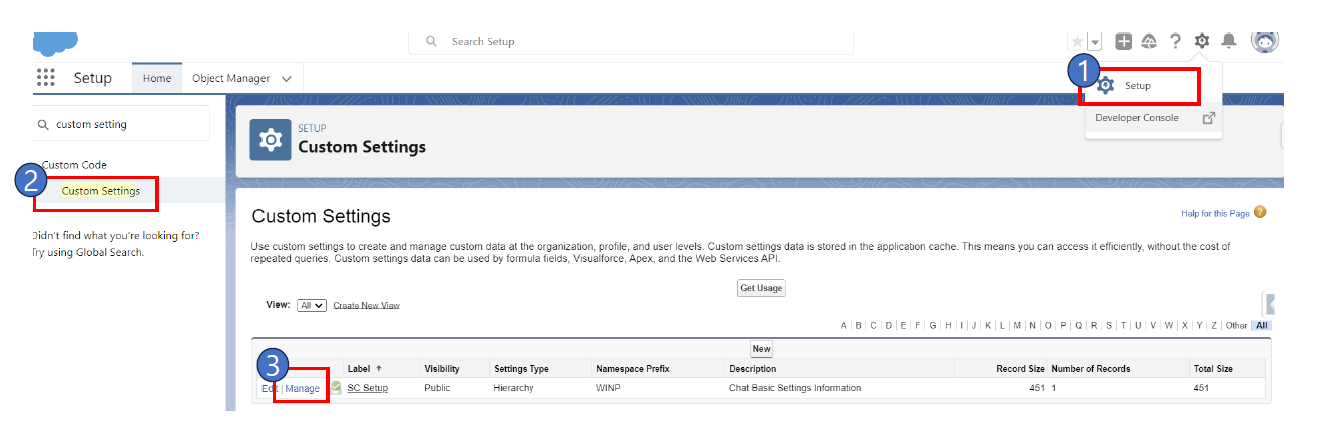
1. Setup > Custom Settings > Click Manage next to SC\_Setup
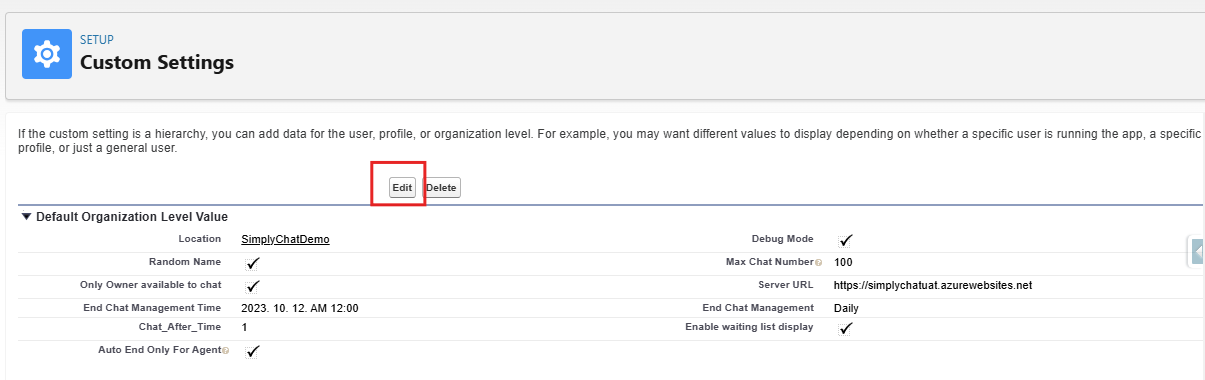
2. Click "Edit"
3. Select the Auto End Only For Agent checkbox.